Write it the way you think
Headings, bullet and numbered lists, tables, checklists, quotes and code blocks with a Copy button all work in a note. Write with simple marks, such as # for a heading and - for a bullet, and the note shows them formatted.
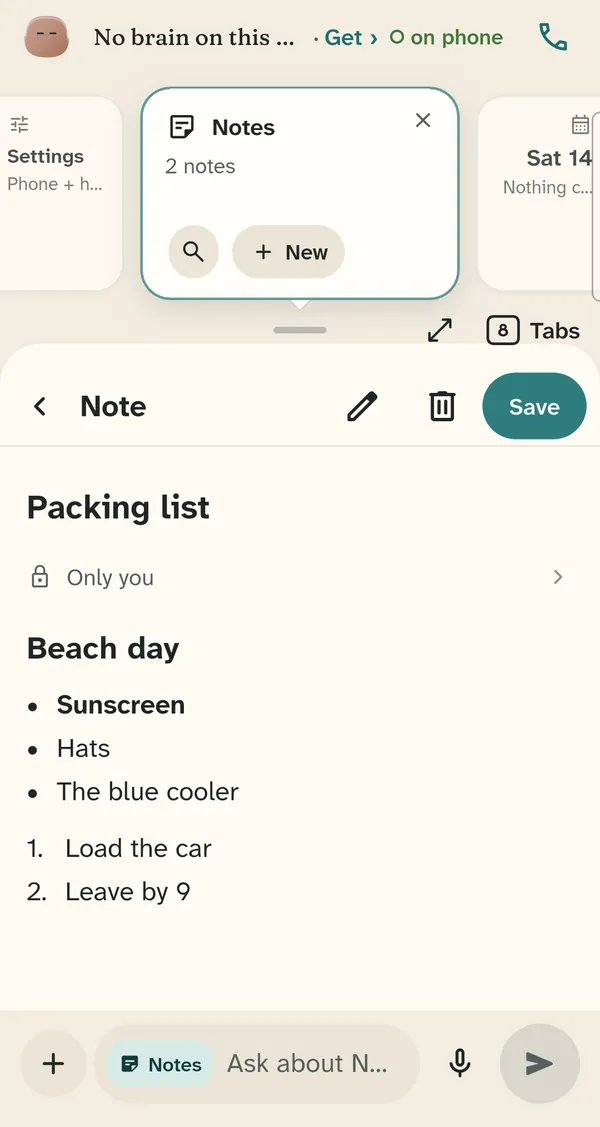
Write notes with headings, lists, tables, checklists, quotes and code blocks. A note opens ready to edit, and every note says who can use it: only you, the family, or the people you pick.
Notes and lists are in every plan, including Free.
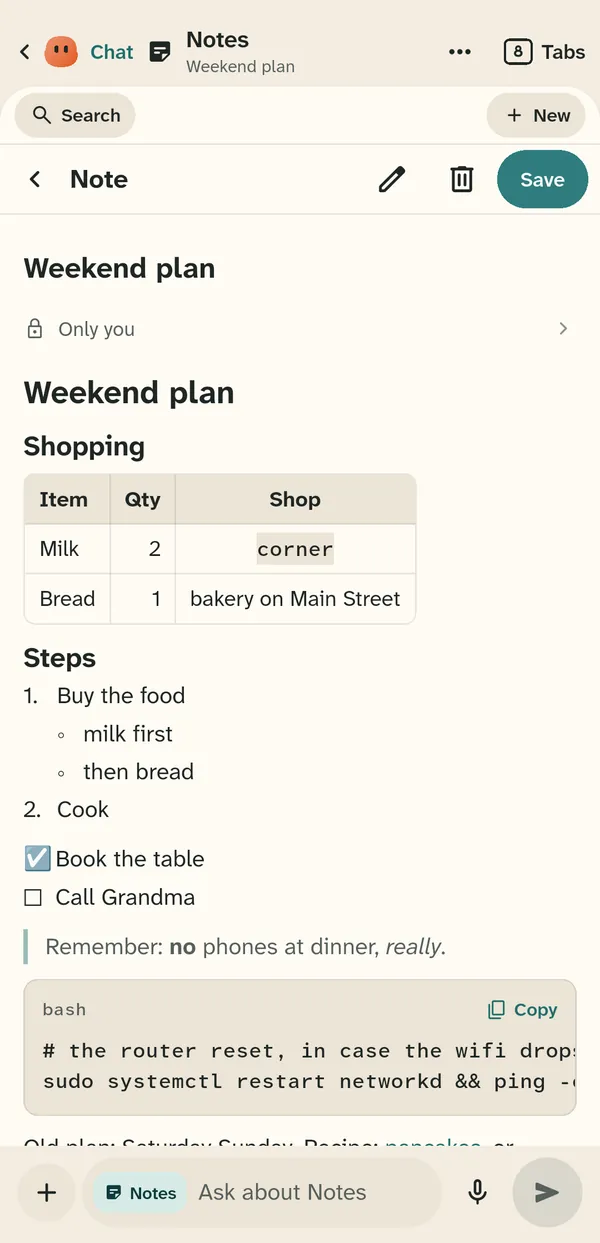
Headings, bullet and numbered lists, tables, checklists, quotes and code blocks with a Copy button all work in a note. Write with simple marks, such as # for a heading and - for a bullet, and the note shows them formatted.
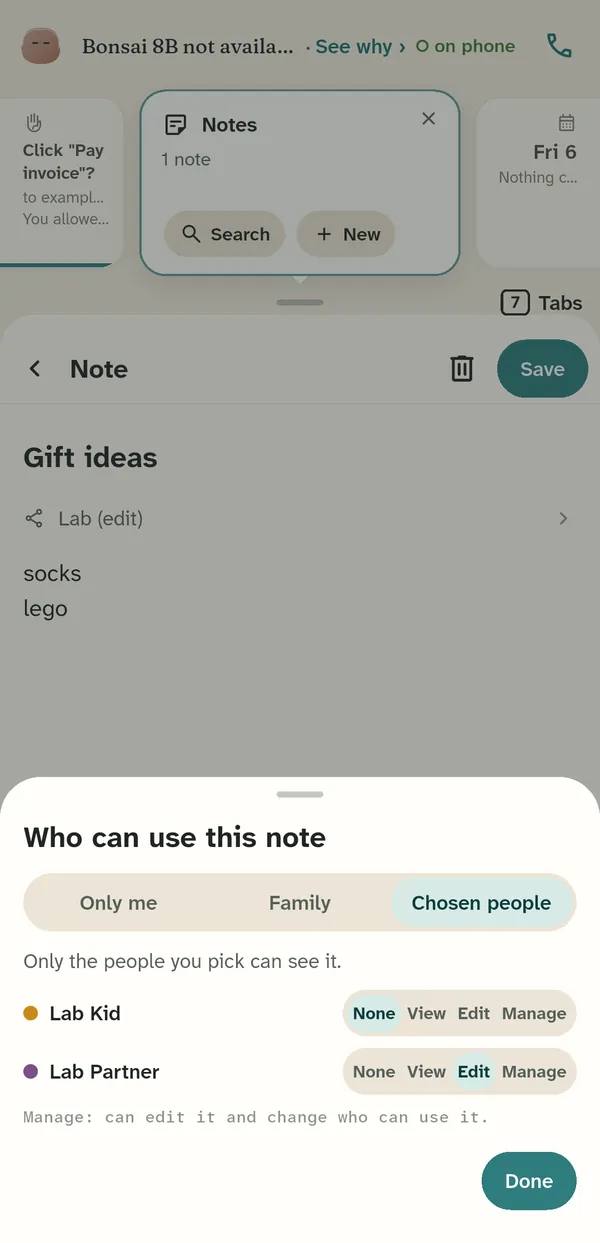
Each note is Only me, Family, or Chosen people. For each chosen person, pick None, View, Edit or Manage; Manage can edit the note and change who can use it.
Ask about a note from the box at the bottom of the screen. Sprite can find and read your notes when you ask.