Sprite Get the app
Your own mailbox

Email

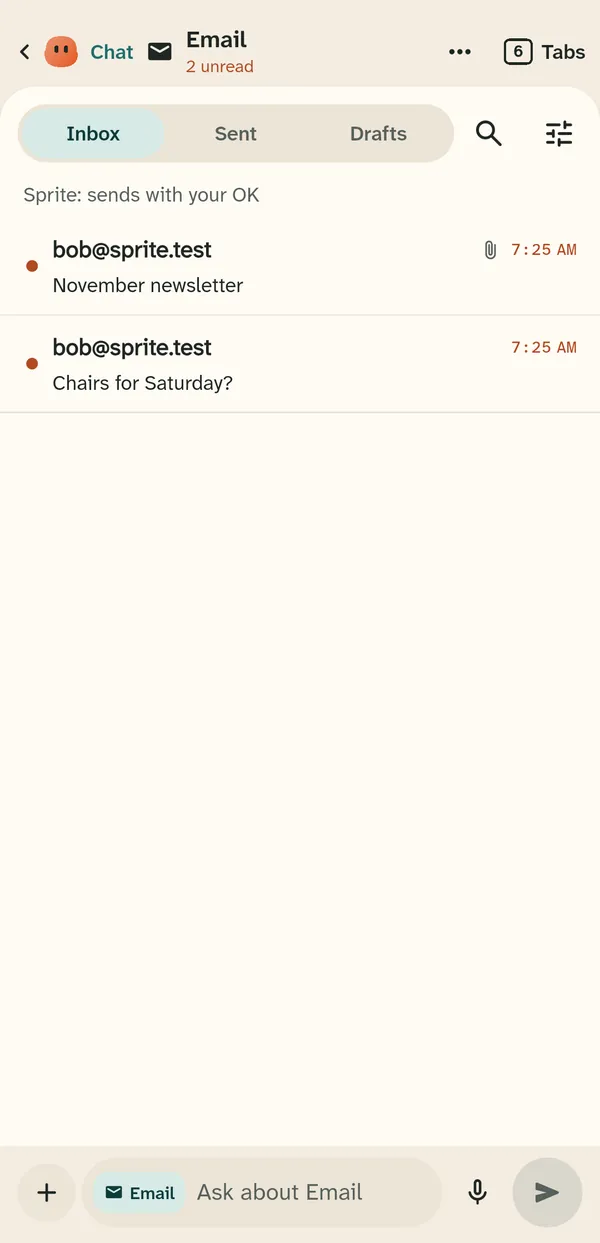
Connect your own mailbox: Gmail, iCloud, Yahoo or any mailbox with IMAP. You choose what Sprite may do with it, and by default nothing is sent until you hold Send.

Email runs on a Sprite server. An account made on the web starts without one, and the Server plans that add one are coming soon.

The Email tab with Inbox, Sent and Drafts and two messages

Adding a mailbox

Pick Gmail, iCloud, Yahoo or Other and type your address and an app password. The password stays in this phone's secure storage and never goes to Sprite's servers. Connections are always encrypted, and a server whose certificate does not check out is refused.
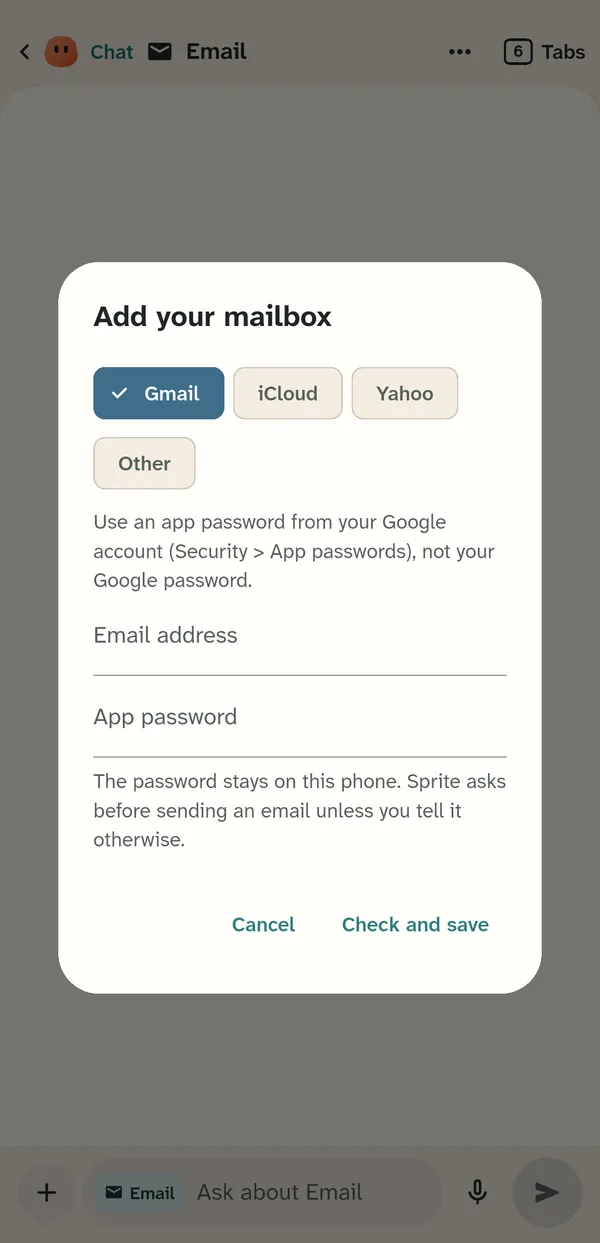
The Add your mailbox dialog with Gmail, iCloud, Yahoo and Other

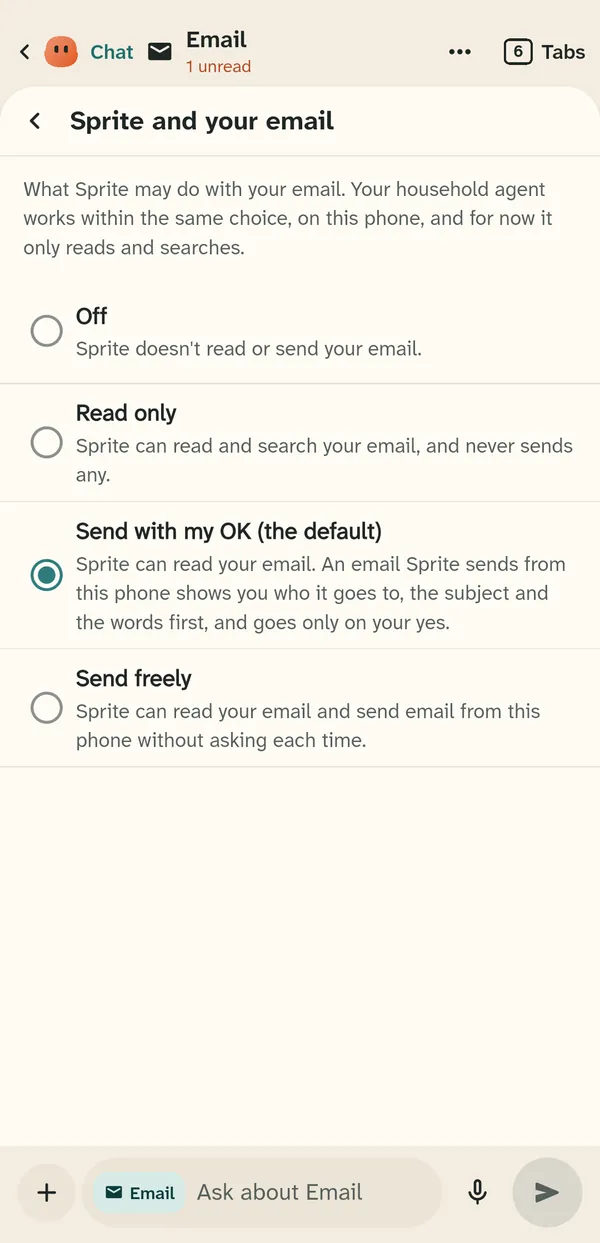
What Sprite may do

  • Off: Sprite does not read or send your email.
  • Read only: Sprite can read and search your email, and never sends any.
  • Send with my OK (the default): Sprite can read your email, and an email Sprite sends shows you who it goes to, the subject and the words first.
  • Send freely: Sprite can read and send from this phone without asking each time.

Your household agent works within the same choice.

The Sprite and your email screen with Off, Read only, Send with my OK and Send freely

Sending

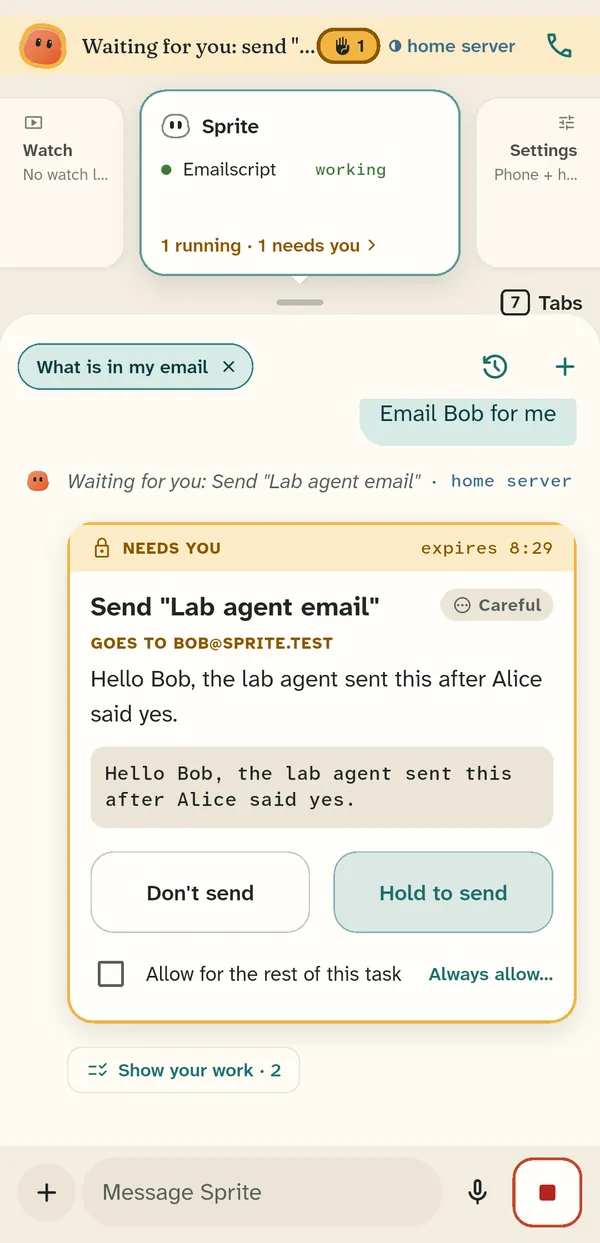
When Sprite wants to send, you see the exact email on a card. Hold Send to send it, or tap Don't send.

A card showing an email Sprite wants to send, with Don't send and Hold to send

Kept in memory

Mail is fetched when you ask for it and kept in memory only; nothing is written to the phone's storage. Drafts are real drafts in your mailbox, so your other mail apps see them, and sent mail gets a copy in Sent.