Sprite Get the app
Voice calls with your assistant

Calls with Sprite

Call Sprite and talk out loud. It rings while the call connects and answers in its own voice.

Calls are in every plan, Free included. The first call downloads Sprite's hearing on Wi-Fi (about 0.7 to 1.3 GB). Long jobs you ask for on a call go to your household's agent, which comes with the Server plans.

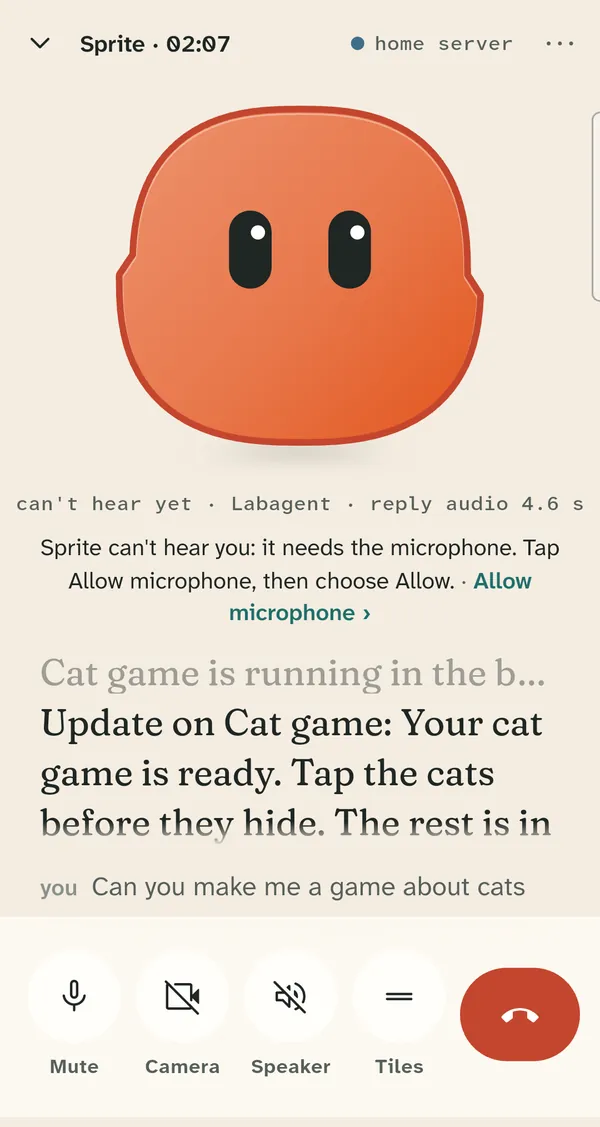
A call with Sprite: Sprite's face, captions saying the cat game is ready, and Mute, Camera, Speaker and end call buttons

Talk the way you would to a person

Sprite rings while the call connects and picks up when it is ready. On a phone fast enough for live hearing, you can talk over it: it stops and hears you. A faster call voice is the default, and the older one is still in Settings.
Hearing runs on your phone

The models that hear you download once and stay on the phone through app updates. If they are missing, Sprite says so and downloads them. If live hearing is too slow on your phone, Sprite says so, switches to whole-sentence hearing and answers after you finish each sentence. Later calls on that phone start that way.

Long jobs keep going

On a Sprite server, ask for something big on a call, such as a plan, a long note or a game, and it runs in its own chat while you keep talking. Sprite tells you on the call when it is done.

Approvals stay on screen

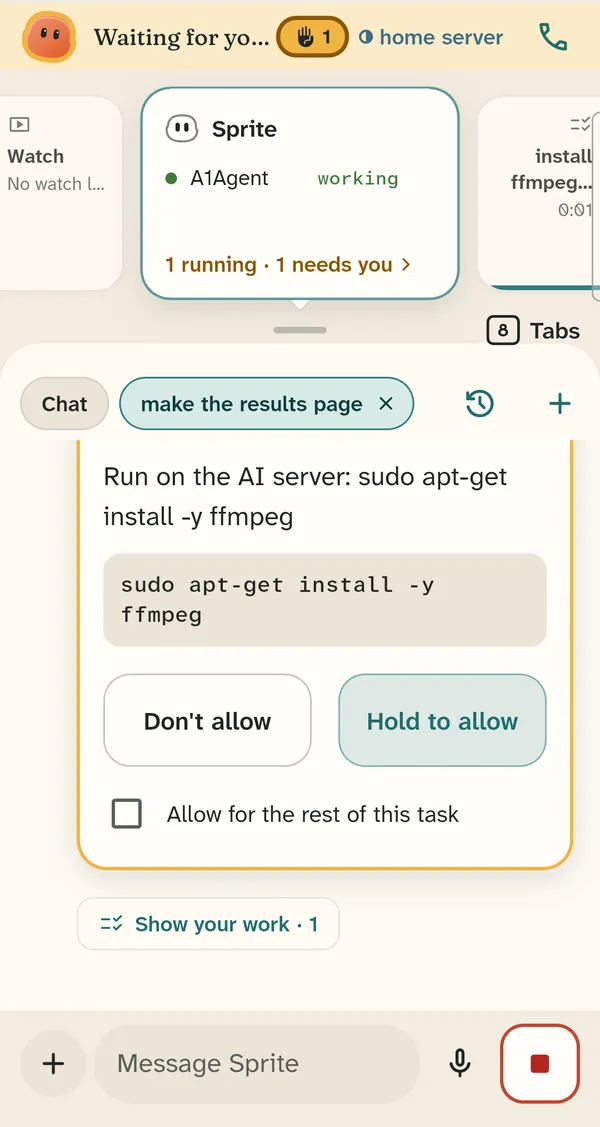
Saying yes out loud never approves anything. When Sprite needs your OK, the card shows on the screen and you hold Allow there.

An approval card with Don't allow and Hold to allow

Kids on calls

Kids can call Sprite too. Work they ask for on a call runs under their parent's controls.